
Square Point of Sale: Payment
Block, Inc.Business
4.654.62K Reviews
- Version
- 7.33
- Installs
- 10.00M
- Age Rating
- Everyone
Screenshots
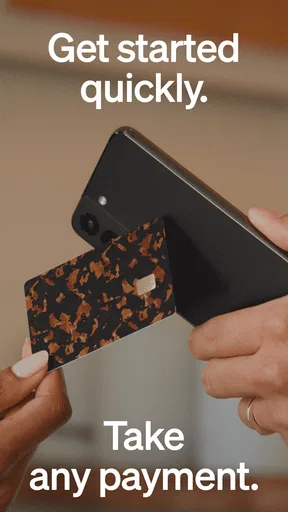
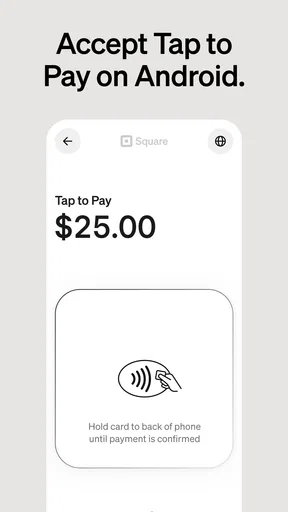
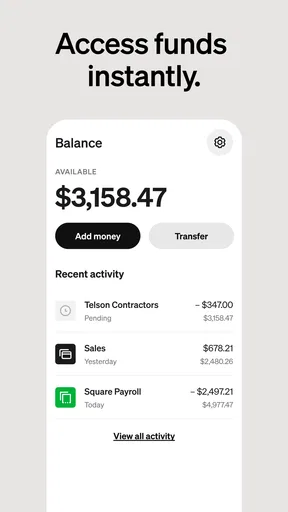
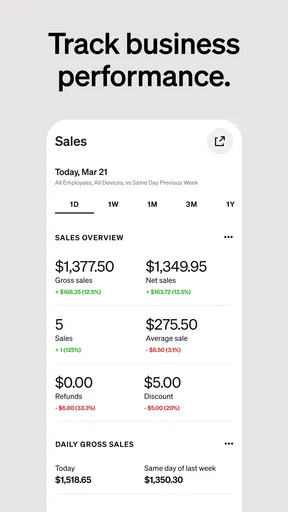
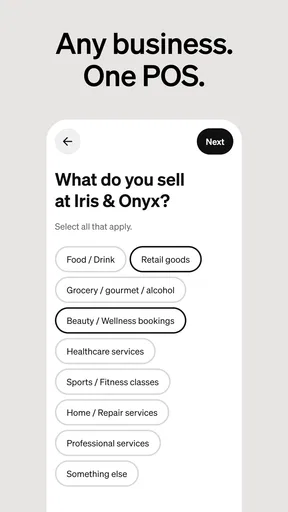
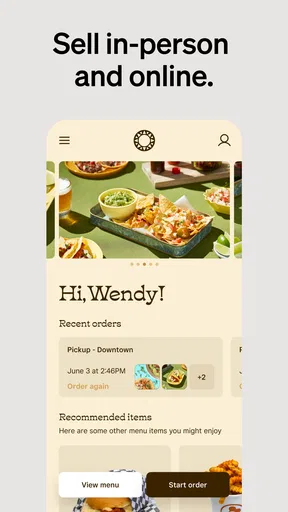
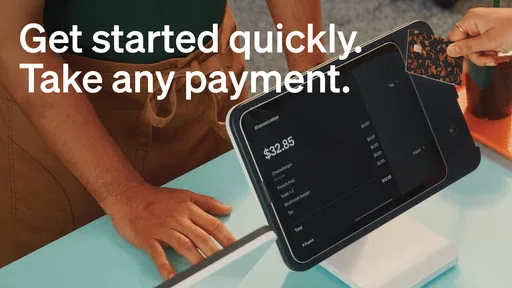
Our Review of Square Point of Sale: Payment
 Analysis by Appyee
Running a small business often means switching between selling, tracking stock, sending invoices, and keeping customers moving through the day. I found Square Point of Sale most useful when I treated it as the center of that routine rather than as a simple card-payment screen. It is a free business app from Block, Inc. for Android and iOS, built for sales, invoices, retail, restaurants, and appointments. That range makes it appealing, but it also means the best experience depends on how clearly you organize your business before opening the app.
My overall impression is that it is a practical mobile POS for someone who wants to replace scattered notes, a basic cash box, and separate payment tools with one working system. It feels especially suitable for a market seller, independent shop, café, service provider, or appointment-based operator who needs to record transactions while staying close to customers. It is not automatically the perfect answer for every company, though. Businesses with complicated inventory, highly specialized reporting, or large multi-location operations may eventually need a more dedicated platform.
Building a dependable selling workflow around the app
I focus on how a clear selling routine can make Square Point of Sale more dependable, especially when several people share the work. In the next section, I’ll look at the small choices that help keep transactions consistent without turning setup into a project of its own.
Start with the work that happens before a sale
The strongest results come when Square Point of Sale is prepared before the busy period begins. I would first decide what needs to be available at the counter or on the phone: products, services, prices, tax treatment, invoice details, and the information needed to recognize a customer. The app can then become the place where those decisions are applied consistently instead of being recreated from memory during every transaction.
This matters because a POS does not repair a disorganized catalog. If two staff members use different names for the same item, or if a service is entered differently each time, later records become harder to understand. I prefer short, recognizable item names and a structure that matches how customers actually ask for things. For a small menu, that may mean keeping choices easy to scan. For retail, it may mean separating products by type rather than creating a long undifferentiated list.
There is also a useful distinction between a quick sale and a sale that deserves a customer record or invoice. Not every customer needs to be added to a long-term workflow. A walk-in purchase can stay fast, while a recurring client, business customer, or appointment-based customer may benefit from more careful capture. Making that distinction before the day starts prevents the checkout screen from becoming a place where every decision is improvised.
I would also spend time deciding who is allowed to do what in the daily routine, even if the business has only a few people. One person may handle product setup and corrections, while others focus on taking orders and completing sales. That simple separation reduces accidental changes and makes end-of-day checking easier. The app is most valuable when it supports a repeatable process, not when everyone uses it in a different personal style.
Capture sales without losing the human part of the interaction
At the point of sale, the main advantage is concentration. Instead of writing a total on paper, reaching for a separate payment device, and later trying to reconstruct the transaction, I can keep the sale inside one mobile workflow. That is particularly helpful when I am serving someone at a market stall, moving around a small shop, or handling a service away from a fixed counter.
The app’s usefulness changes depending on the business model. A product seller needs quick item selection and a clean way to correct mistakes. A restaurant needs an order flow that does not slow down communication between the front and back of house. An appointment-based professional may care more about invoices, customer details, and separating services from physical products. Square Point of Sale covers these different situations, but I would not configure all of them in the same way.
One practical habit is to review the sale on screen before completing it, especially when several items or variations are involved. A fast interface can encourage fast mistakes. Checking the quantity, selected item, and total takes less time than explaining an incorrect receipt or correcting a customer record later. I also find it useful to keep common items easy to reach and less frequent items organized behind a clearer category structure.
For invoices, the app can be more than a way to collect money immediately. It can support a workflow where I finish the work, record what was delivered, and give the customer a clear request for payment. That is a better fit for freelance services, repairs, consultations, and business-to-business work than forcing every customer into an instant checkout. The trade-off is that invoices require more attention to customer information and follow-up than a simple counter sale.
Use organization as a safeguard, not decoration
The catalog is one of the less obvious parts of a POS workflow. Many people think of it as a list of buttons, but I see it as the vocabulary of the business. If it is well organized, sales reports and later reviews become easier to interpret. If it is messy, even accurate transactions can produce confusing conclusions about what is selling and where time is going.
My recommendation is to create categories based on decisions you expect to make. If you want to know whether drinks or food are driving a café’s sales, those groups should be visible in the catalog. If you run a service business, separate services by the way you schedule or price them. Avoid creating a new item for every minor variation unless that difference matters for reporting, inventory, or the customer’s receipt.
A second useful practice is to treat corrections as part of the workflow rather than as an embarrassment. When an item is entered incorrectly, fix the record as soon as the rush has passed and note what caused the confusion. Repeated corrections usually point to a catalog problem, not a staff problem. That approach gradually makes the app faster without relying on memory or shortcuts that only one employee understands.
Customer information deserves the same discipline. I would capture only what supports a real business purpose, such as recognizing a returning client, preparing an invoice, or maintaining a service relationship. Adding details casually creates clutter and can make the customer list less useful. A smaller, cleaner set of records is often better than a large list that nobody trusts.
Turn daily use into a repeatable routine
The app becomes much easier to live with when the business follows the same rhythm each day. Before opening, I would check that the catalog reflects current offerings and that the person responsible for the shift knows how to handle common corrections. During service, I would keep every transaction in the same system instead of allowing some sales to disappear into handwritten notes or personal payment habits.
At the end of the day, a short review is more valuable than waiting until the end of the week. I would compare the recorded activity with the physical cash or the business’s own sales notes, look for unusual corrections, and identify items that were repeatedly difficult to find. This is not busywork. It is how the app’s records become a dependable basis for planning rather than a pile of transactions that nobody checks.
For a small team, consistency matters more than advanced technique. A short written procedure can cover how to start a sale, how to handle an invoice, how to correct an item, and who reviews the day. New staff then learn the business’s method instead of inventing their own. The app supports this kind of system because sales, invoices, retail activity, restaurant orders, and appointments can be brought into the same general operating environment.
A realistic example would be a mobile baker selling at a weekend market. Before leaving, I would organize the day’s products so the most popular items are immediately visible and less common options remain easy to locate. During the market, each purchase is recorded as it happens rather than reconstructed from a notepad. After closing, I would review which categories moved quickly, check for unusual entries, and use that information to plan the next batch. The value is not just accepting payment; it is creating a reliable loop from preparation to learning.
Where the workflow can break down
The first failure point is overbuilding the setup. A very small business can lose time creating elaborate categories, customer records, and procedures that do not improve the actual sale. I would begin with the items and services used most often, then expand only when a real reporting or operational need appears. A simpler catalog is usually faster and easier to maintain.
The second is assuming that a mobile POS removes the need for a backup plan. Phones run out of power, connectivity can become unreliable, and people make entry mistakes during a rush. I would keep a clear process for what happens when the normal flow is interrupted, including how to record the customer’s order temporarily and reconcile it later. The important point is not to let an emergency method become a permanent parallel system.
Another weakness appears when the business expects the app to behave like a full enterprise resource-planning system. Square Point of Sale is approachable because it focuses on practical selling tasks, but a company with intricate purchasing, manufacturing, advanced stock movement, or complex permissions may need deeper specialization. Trying to force every unusual requirement into a simple POS can create more work than choosing a system designed for that environment.
There can also be friction when a business changes its prices or offerings frequently. A catalog that is not maintained quickly becomes misleading, and staff may choose the wrong item simply because an old option remains visible. I would schedule a regular cleanup rather than waiting for errors to accumulate. This is one of the most important sustainability habits: the system should stay small enough that someone can realistically look after it.
Finally, the app should not be judged only by how quickly it completes a single sale. A fast checkout that produces poor records is not genuinely efficient. I pay attention to whether the information remains understandable at the end of the day, whether invoices can be handled without confusion, and whether another person can take over the workflow. Those are better tests of long-term usefulness than a few seconds saved at the counter.
What the ratings and platform details suggest
Square Point of Sale has an average rating of 4.6 from around 259 thousand ratings, with more than 10 million installs. Those figures suggest that the app has reached a broad audience and that many users find its central selling workflow dependable. I would still treat popularity as a starting signal rather than a guarantee, because a market stall, restaurant, consultant, and retail store may judge the same tool by very different standards.
It is free to install and carries an Everyone age rating, which makes it approachable for a mixed workplace where staff need a business tool rather than a specialized technical application. The current version is 7.22.1, and it supports operating systems from version 9 onward. Before adopting it across a team, I would check that every device intended for daily use meets that requirement and that the chosen hardware is comfortable for the pace of service.
The app was released on May 11, 2010, and its long presence helps explain why it feels aimed at real operating routines rather than a single narrow transaction type. Its developer, Block, Inc., gives it a recognizable home within the broader Square business ecosystem. Even so, I would evaluate the actual workflow I need instead of assuming that a long-running product automatically covers every specialized requirement.
Who should adopt it, and who should look elsewhere
I would recommend it to an independent seller who wants a mobile way to manage everyday sales without assembling several unrelated tools. It is also a sensible option for a small restaurant or café that needs a POS foundation, for a retailer that wants a more organized catalog, and for a service professional who combines appointments with invoices. The common thread is a business that values a clear, portable routine more than deep customization.
It is a particularly good fit when the owner is close to daily operations. That person can keep the catalog clean, notice recurring errors, and use the records to improve ordering, staffing, or scheduling. A small team can benefit as well, provided someone takes responsibility for setup and end-of-day review. Without that ownership, even a straightforward app gradually turns into an inconsistent collection of entries.
I would be more cautious for a large operation with many locations, complicated stock relationships, or reporting requirements that go far beyond ordinary sales and invoices. In that situation, a specialized retail, restaurant, accounting, or enterprise platform may be a better foundation, even if it takes longer to learn. I would also look elsewhere if the business wants a tool used only for occasional payment collection and has no interest in maintaining a catalog or reviewing sales activity; a simpler payment solution may involve less administration.
Compared with a cash register and handwritten log, Square Point of Sale offers a more structured record and a clearer path from transaction to review. Compared with a basic card reader, it is more useful when the business needs products, services, invoices, retail activity, restaurant workflows, or appointments in one working environment. Compared with a heavily specialized POS, it is generally easier to approach but may not provide the same depth for unusual operations. That middle position is its main strength and its main boundary.
My recommendation after using it as a system
I like Square Point of Sale because it encourages a sensible idea: selling should be connected to the rest of the business. When I organize the catalog carefully, capture only useful customer details, review transactions daily, and keep a backup process for interruptions, the app becomes more than a checkout screen. It gives a small operation a repeatable rhythm that can reduce forgotten sales and make later decisions less dependent on guesswork.
My advice is to start with one real workflow, such as a market day, a small retail shift, or a week of client invoices. Keep the setup modest, observe where staff hesitate, and adjust the catalog based on actual use. Do not add complexity simply because the app can support several kinds of business activity. The best configuration is the one people can follow when the line is long and the owner is busy elsewhere.
For a small business that wants a practical mobile POS and is willing to maintain its process, Square Point of Sale is a strong choice. Its free entry point, broad business focus, and established presence make it easy to consider, while its limitations become manageable when expectations are realistic. I would adopt it for a focused, hands-on operation; for a highly complex company, I would compare it carefully with a more specialized alternative before making it the foundation of every workflow.
Privacy and Permissions
See what permissions an app requests and how it handles your data.
- Identity
- find accounts on the device
- Contacts
- find accounts on the device, read your contacts
- Location
- approximate location (network-based), precise location (GPS and network-based)
- Phone
- read phone status and identity
- Photos/Media/Files
- read the contents of your USB storage, modify or delete the contents of your USB storage
- Storage
- read the contents of your USB storage, modify or delete the contents of your USB storage
- Camera
- take pictures and videos
- Microphone
- record audio
- Wi-Fi connection information
- view Wi-Fi connections
- Device ID & call information
- read phone status and identity
- Other
- view network connections, pair with Bluetooth devices, access Bluetooth settings, connect and disconnect from Wi-Fi, full network access, change your audio settings, control Near Field Communication, run at startup, control vibration, prevent device from sleeping, read Google service configuration
Verdict
Strengths of Square Point of Sale: Payment
- Accepts cards, contactless payments, and digital wallets in one app.
- Quick setup makes it practical for new businesses and pop-up sellers.
- Sales, refunds, and receipts are easy to manage from the dashboard.
- Inventory tools help track stock while processing customer purchases.
- Works well with Square hardware for a more complete checkout setup.
Limitations of Square Point of Sale: Payment
- Transaction fees can become costly for businesses with high sales volume.
- Some advanced features require a paid Square subscription.
- Account reviews or holds may temporarily delay access to funds.
- Limited offline functionality can be inconvenient during internet outages.
- Best features and hardware support may vary by country or region.
Other Releases by Block, Inc.
View All


Similar Picks in This Category
View All
LinkedIn: Community & Network
LinkedIn3.8

Zoom Workplace
zoom.com4.1

Microsoft Teams
Microsoft Corporation4.6

Meta Business Suite
Meta Platforms, Inc.4.6

Webex Meetings
Cisco Systems, Inc.4.5

TeamViewer Remote Control
TeamViewer4.4
Frequently Asked Questions
What is Square Point of Sale: Payment used for?
Square Point of Sale: Payment is a mobile point-of-sale app designed to help businesses accept card and contactless payments, manage transactions, and monitor sales from a phone or tablet. It can be useful for shops, cafés, market stalls, service providers, and other small businesses that need a portable checkout solution rather than a traditional cash register.
Do I need Square hardware to use the app?
You can download and explore Square Point of Sale without purchasing additional equipment, but accepting many in-person card payments generally requires a compatible Square card reader or another supported payment setup. The exact hardware options depend on your country and device. Before downloading, check Square’s official compatibility information to confirm that your phone or tablet and preferred reader are supported.
Are there fees for using Square Point of Sale: Payment?
The app itself may be available to download at no upfront cost, but payment processing usually involves transaction fees, and some optional hardware or advanced services may cost extra. Fees can vary according to your country, card type, payment method, and Square plan. Review the current pricing shown for your region before accepting payments, since rates and terms can change.
Is Square Point of Sale: Payment secure for customers and businesses?
Square uses security measures intended to protect payment information and transaction data, while supported readers are designed to process chip, contactless, and other modern payment methods more safely than manually handling card details. However, no app eliminates every risk. Keep the app updated, use a protected device, enable account security features, and only download it from an official app store.
Can I manage inventory, receipts, and sales reports in the app?
Square Point of Sale offers more than basic payment acceptance. Depending on your account, region, and selected features, you may be able to create items, track sales, issue digital or printed receipts, manage customer information, review transactions, and access sales reports. Businesses with larger inventories or more advanced needs should verify which tools are included and whether additional Square services are required.
